Follow the track. See the progress.
Trax is an iPhone app that helps you lay tracks, train your dog and follow its progress over time.
Coming soon to the App StoreOne-time purchase, no subscription.

$9.99$11.99Introductory price for the first week, then $11.99.One-time purchase, no subscription.
- No account
- No ads
- Your data stays on your phone
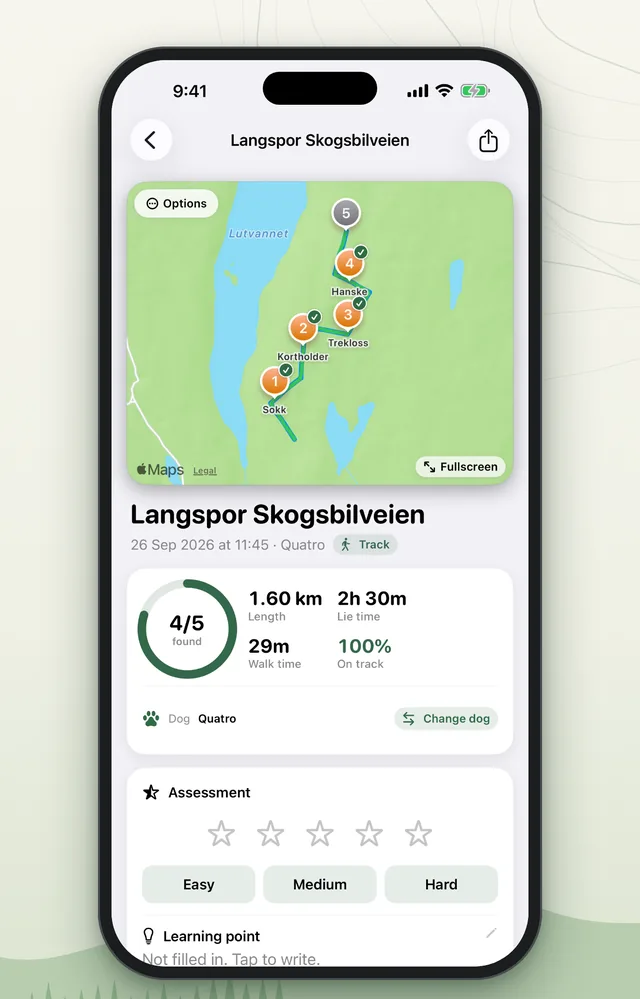
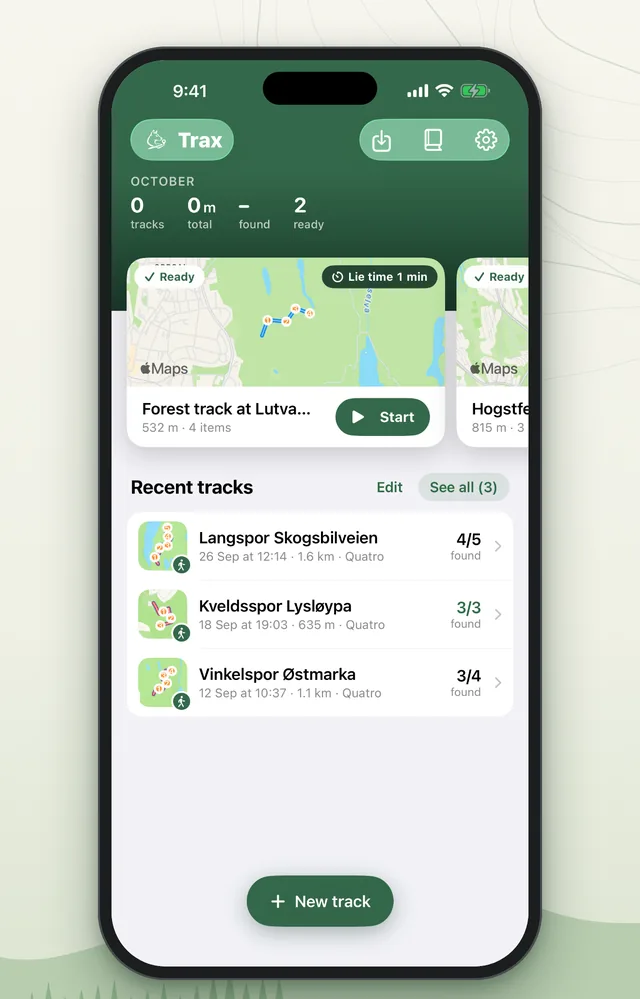
Everything in one placeThis month's numbers, tracks ready to start and your latest tracks. The whole track on one cardMap, items found, length, lie time and how much of the track your dog followed. 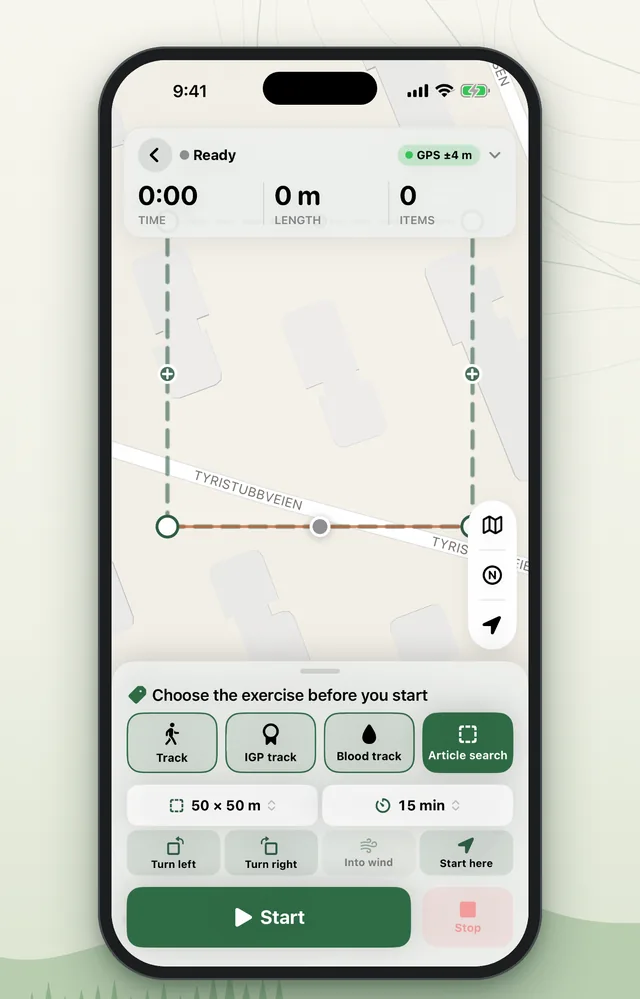
Choose the exerciseTrack, IGP track, blood track or article search. Draw the field on the map and set a time limit. 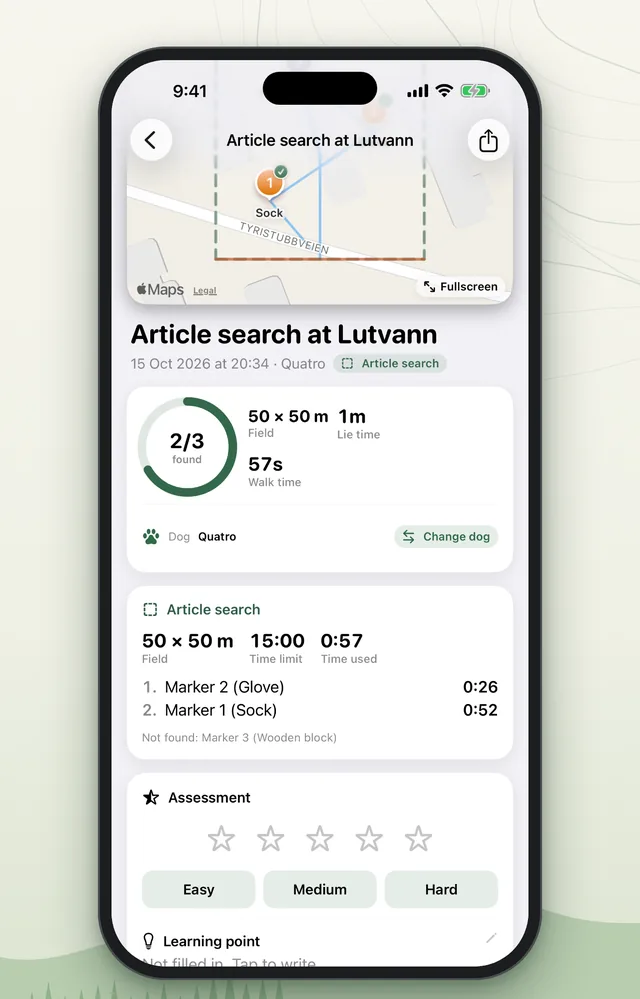
Article search and area searchSee which items your dog found and how long each find took. 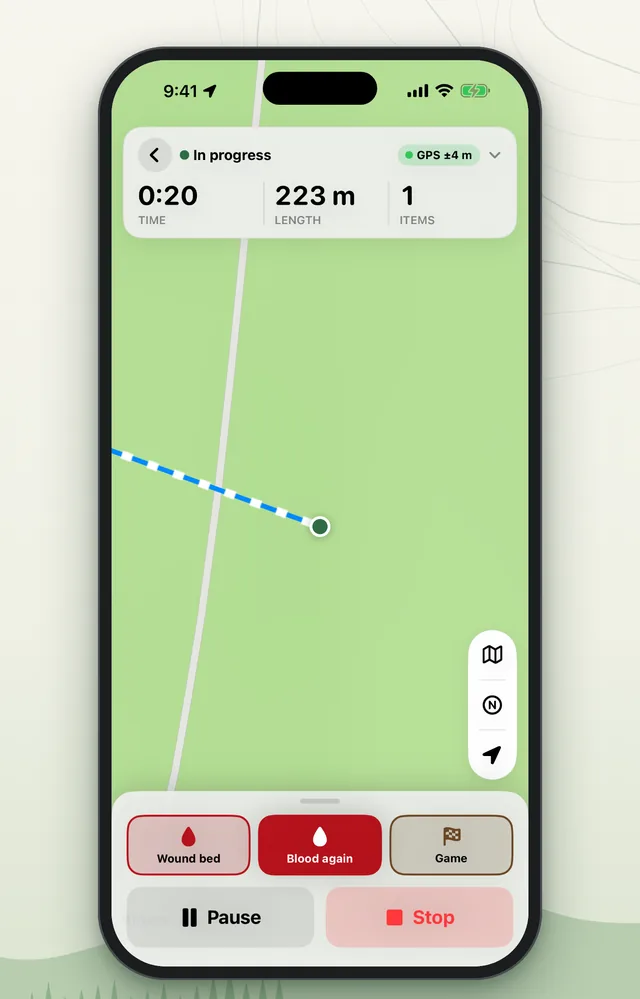
Blood trackingMark the wound bed, more blood and the game with one tap as you work through the track. 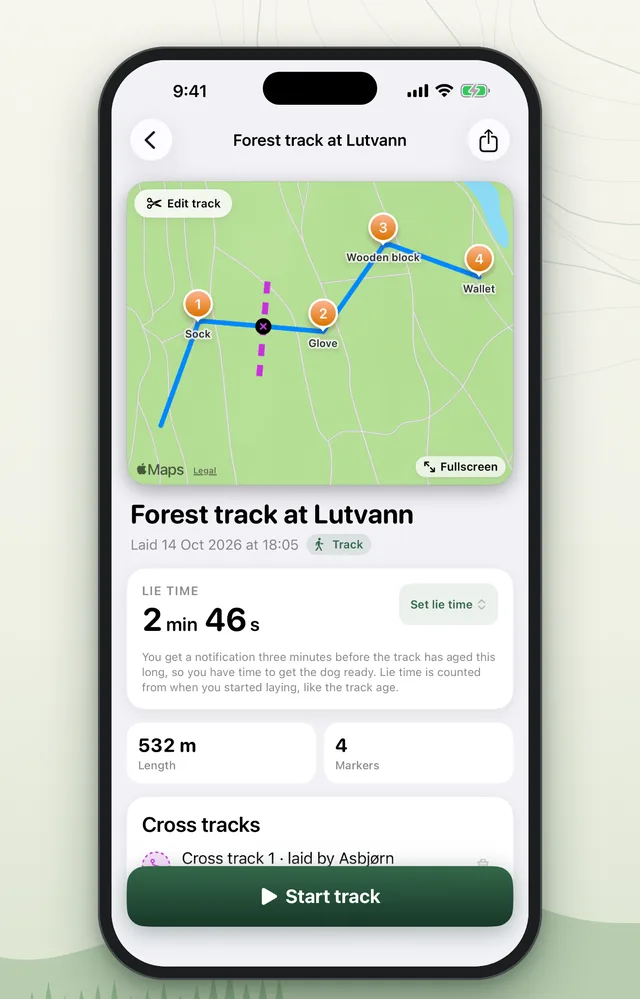
Cross tracksLay a fresher track across the first, and watch the lie time count down before you start. 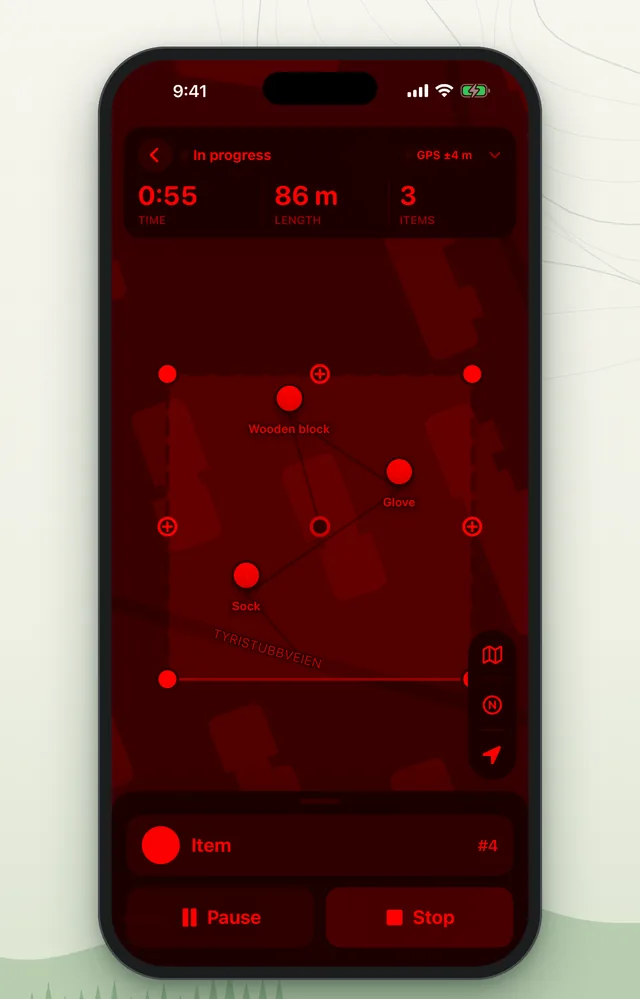
Night modeRed light on the screen when you train in the dark.
Built for real tracking training
More than a GPS log. Trax knows tracking work.
- Lie timeA countdown on the lock screen and an alert when the track is ready.
- Voice alertsHear it when you get close to an item.
- Blood tracksWound beds, blood stops, game and flight direction.
- Blind tracksThe track and alerts stay hidden until you stop.
- Cross tracksLay a fresher track across it, with an alert before the crossing.
- Track lossYour phone vibrates when you drift off the track.
New in version 2.0
Version 2.0 is out now in the App Store, as a free update for everyone who has the app. On top of everything in the list above, you get:
- New designA new home screen with the month in numbers, large map cards for tracks that are ready, and calmer screens while you lay a track and follow it with your dog.
- Article and area searchMark out an area on the map and search for items or hidden people, with a time limit and separate statistics.
- Night modeRed light on the screen when you train in the dark, so you can see the map without being dazzled.
- Wind and weatherA wind arrow on the map and the weather as your dog starts the track.
- Track assessmentGive a rating, a difficulty and a learning point after every track.
- Edit tracksTrim the start and end of a track afterwards.
- Several tracks in one PDFExport many tracks together, for example for your training log.
- BackupAutomatic copy of all tracks and dogs to iCloud Drive.
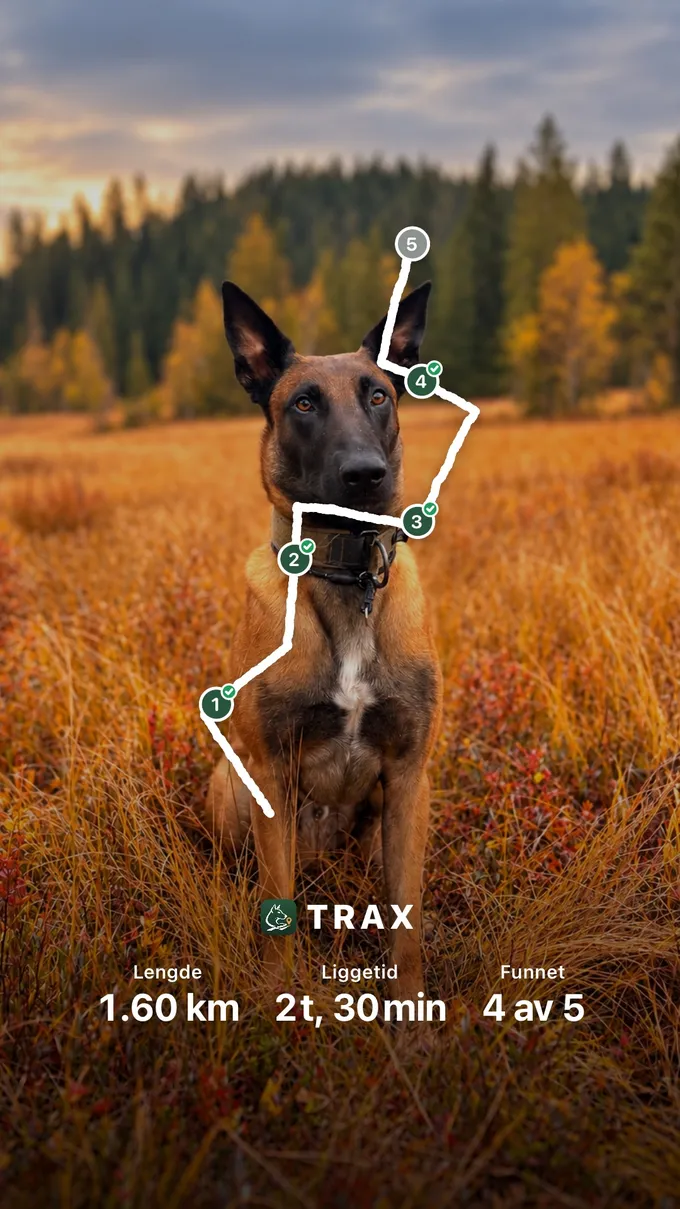
Share the track with a photo of your dog
Pick a photo from your camera roll and Trax puts the track, the items and the numbers on top. Share it as a story or a post, and choose the track colours yourself. If you would rather show just the track, you get it on a green background.
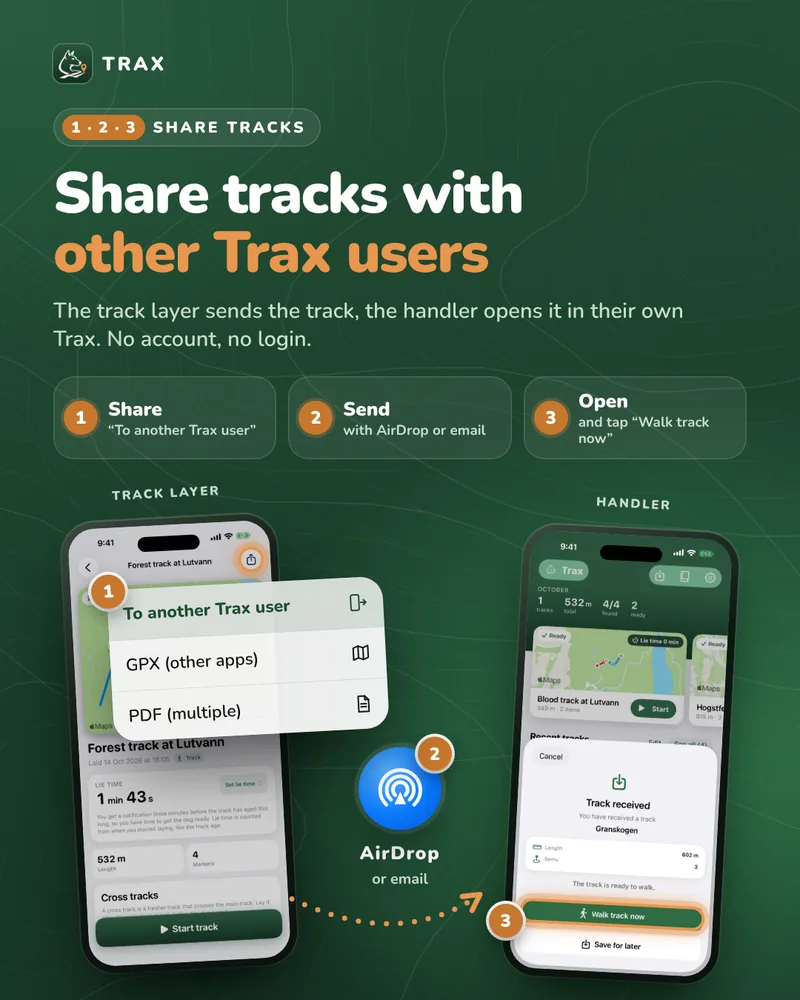
Send the track to the handler
The track layer and the handler do not need to use the same phone. Tap “To another Trax user” and send the track with AirDrop or email, and it opens straight in Trax on the other phone, ready to walk. No account and no login.
Use AirDrop or email, not Messages. If the message goes as SMS, the file does not arrive.
Made by a dog handler
“I train dogs almost every day, and tracking is one of my favourite things to do.”
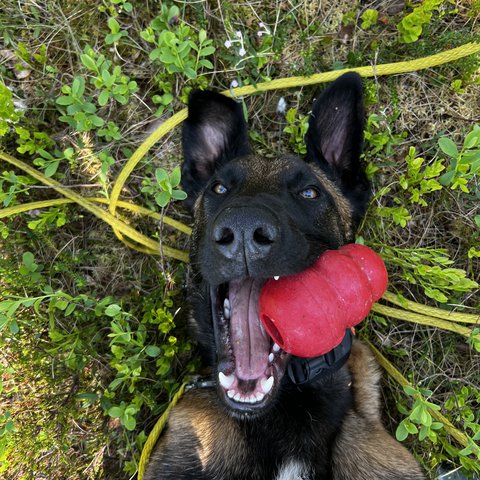
I made Trax because I wanted a simple app that does exactly what tracking work needs. I use it myself when I train with Quatro, my Malinois, and I keep improving the app so it covers every need. I answer every message myself.
Need help?
Send me an email and I'll reply as soon as I can, usually within two business days. Please describe what you were trying to do, which iPhone and iOS version you have, and attach a screenshot if possible.
post@trax-dogtracking.noFrequently asked questions
The track is inaccurate
Make sure Trax has location access “While Using the App” and that Precise Location is turned on under Settings › Trax › Location. GPS is less accurate in dense forest and between tall buildings.
How do I delete my data?
Everything is stored only on your phone. You can delete individual sessions in the app, or delete the app to remove all data permanently.
Can I move my data to a new phone?
Your data comes along when you restore the phone from an iCloud or computer backup. You can also export sessions from the app.
Privacy
Everything you record in Trax is stored only on your own phone. Trax has no account, no server of its own and no ads, and the developer has no access to your data.
Read the full privacy policy